 WORD RUN
คู่มือการเล่น
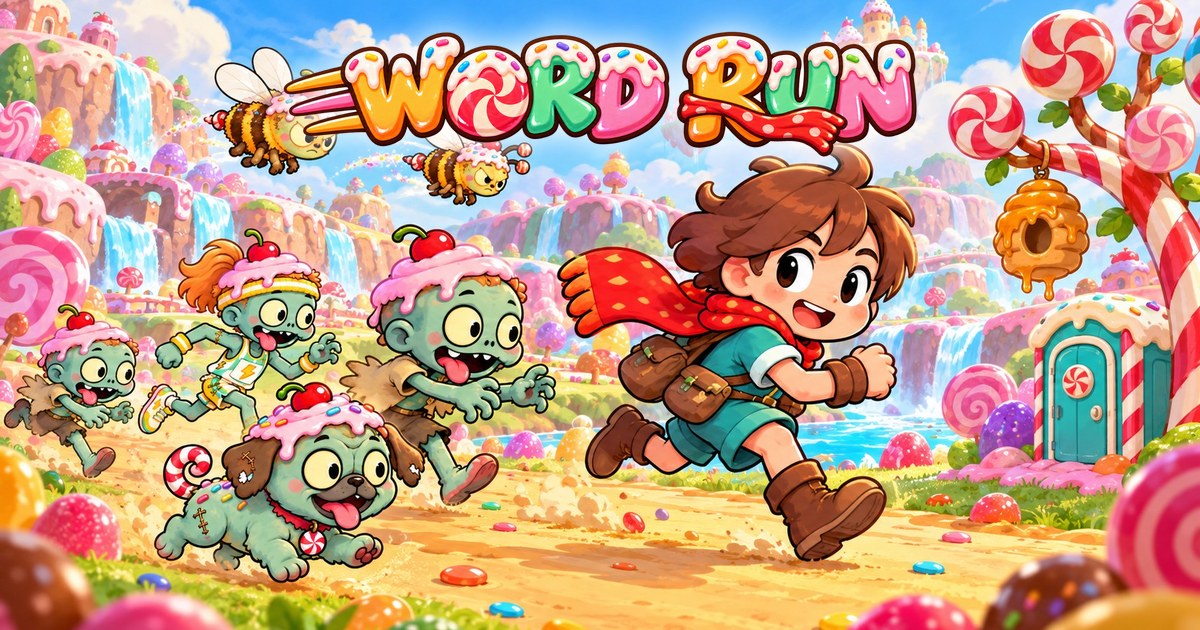
WORD RUN คือเกมฝึกพิมพ์ ภาษาไทยและภาษาอังกฤษ พิมพ์ให้ถูก นักวิ่งของเราก็วิ่งเร็วขึ้น และหนีฝูงซอมบี้ได้ทัน
เล่นได้ตั้งแต่ ป.1 จนถึงผู้ใหญ่ เล่นบนเว็บ ไม่ต้องติดตั้ง
How to Play
WORD RUN is a typing game in Thai and English. Type the text correctly and your runner speeds up and stays ahead of the zombie horde.
For players from grade 1 to adults. It runs in a web browser: nothing to install.
 WORD RUN คืออะไร
นักวิ่งตัวน้อยกำลังวิ่งผ่านโลกขนมหวานสีสดใส โดยมีฝูงซอมบี้ตามมาข้างหลัง ทุกตัวอักษรที่พิมพ์ถูก จะพานักวิ่งไปข้างหน้า
- พิมพ์ได้ทั้ง ภาษาไทย (แป้นเกษมณี) และ ภาษาอังกฤษ (แป้น QWERTY)
- มี 25 โลก โลกละ 3 ด่าน รวม 75 ด่าน ข้อความยากขึ้นตามช่วงชั้น ประถม มัธยม มหาวิทยาลัย และผู้ใหญ่
- 6 ด่านแรกเป็นแบบฝึกสำหรับคนเพิ่งหัดพิมพ์ ไม่มีซอมบี้ มีแป้นพิมพ์บนจอบอกว่าใช้นิ้วไหน
- เมนูในเกมเลือกได้ทั้งภาษาไทยและภาษาอังกฤษ แยกจากภาษาที่ใช้พิมพ์
What WORD RUN is
A little runner dashes through bright candy worlds with a zombie horde behind. Every correct letter you type moves the runner forward.
- Type in Thai (Kedmanee layout) or English (QWERTY).
- 25 worlds with 3 stages each: 75 stages. The texts grow with the grade band: elementary, secondary, university and adult.
- The first 6 stages are drills for brand-new typists: no zombies, and an on-screen keyboard shows which finger to use.
- The menus can be in Thai or English, separate from the language you type.
 เริ่มเล่นครั้งแรก
- เปิดเกม ที่ word-run.com บนคอมพิวเตอร์ แท็บเล็ต หรือโทรศัพท์ ใช้แป้นพิมพ์จริงจะพิมพ์ได้สนุกที่สุด
- เลือกภาษา มุมขวาบนของหน้าแรกมี "ภาษาเมนู" และปุ่มเฟือง "ตั้งค่า" ใช้เลือกภาษาที่จะพิมพ์ เสียงเพลง และเสียงในเกม
- ใส่ชื่อเล่นและช่วงชั้น เกมจะถามครั้งเดียวว่า "ใครกำลังเล่นอยู่นะ?" ใส่ชื่อเล่น (ไม่ต้องใช้ชื่อจริง) แล้วเลือก ประถม มัธยม มหาวิทยาลัย หรือผู้ใหญ่
- เลือกนักวิ่ง ปัดหรือกดลูกศรเพื่อดูนักวิ่งทุกตัว แล้วกดเลือกตัวที่ชอบ
- ดูแผนที่ แถบด้านบนมี อีเวนต์ พิชิตด่าน ค่ายฝึก เอาตัวรอด เล่นกับเพื่อน สถิติ และห้องสอบ
- เล่นด่านแรก ใน "พิชิตด่าน" เริ่มจากด่าน 1 วางนิ้วบนแถวเหย้า แล้วพิมพ์ตามแป้นที่กะพริบบนจอ
Getting started
- Open the game at word-run.com on a computer, tablet or phone. A real keyboard makes it the most fun.
- Pick your languages. At the top right of the title screen: "Menu language", and the gear opens "Settings" for the typing language, music and sound.
- Nickname and grade band. The game asks once "Who's playing?". Enter a nickname (no real name needed) and pick elementary, secondary, university or adult.
- Choose a runner. Swipe or use the arrows to see every runner, then tap the one you like.
- The map. The tabs at the top are Events, Stages, Training camp, Survival, Friends, Stats and Exam Room.
- Your first stage. In "Stages", start with stage 1: rest your fingers on the home row and type the key that pulses on screen.
 พิมพ์แล้ววิ่งอย่างไร
- พิมพ์ถูก = วิ่งเร็วขึ้น ตัวที่พิมพ์แล้วจะเป็นสีส้ม ตัวถัดไปคือตัวที่ต้องพิมพ์
- คอมโบ คือจำนวนตัวที่พิมพ์ถูกติดกันโดยไม่ผิดเลย คอมโบยิ่งยาว นักวิ่งยิ่งเร็ว
- พิมพ์ผิด = สะดุด นักวิ่งชะงักไปครู่หนึ่ง คอมโบกลับเป็นศูนย์ และซอมบี้จะไล่ใกล้ขึ้น ต้องกดตัวที่ถูกจึงไปต่อได้
- อย่าหยุดนาน ถ้าไม่พิมพ์เลยสักพัก ฝูงซอมบี้จะเร่งเข้ามา
- หาปุ่มไม่เจอ? ถ้ากดผิดตัวเดิม 3 ครั้ง เกมจะโชว์แป้นพิมพ์เล็ก ๆ บอกว่าปุ่มอยู่ตรงไหน ใช้นิ้วไหน และต้องกด Shift หรือไม่
- จบด่าน เมื่อพิมพ์ครบและวิ่งลอดซุ้มเส้นชัย จะเห็นคะแนน ความเร็ว (คำต่อนาที) ความแม่นยำ และเวลา
ด่านปกติใช้เวลาราว 3 นาที สำหรับคนที่พิมพ์ได้ตามเกณฑ์ของช่วงชั้น (ประถม 20 คำต่อนาที มัธยม 30 มหาวิทยาลัย 40 ผู้ใหญ่ 50)
ผ่านด่านได้ 1 ดาว แม่นยำ 90% ขึ้นไปได้ 2 ดาว และ 95% ขึ้นไปได้ 3 ดาว เก็บครบ 9 ดาวในโลกเดียวรับตราโลก
How typing works
- Correct keys = faster. Typed letters turn orange; the next letter is the one to type.
- Combo is how many letters in a row you typed without a mistake. The longer the combo, the faster you run.
- A mistake = a stumble. The runner stops for a moment, the combo goes back to zero and the zombies get closer. Type the right key to go on.
- Don't stop for long. If you stop typing for a while, the horde speeds up.
- Can't find a key? After 3 wrong keys on the same letter a small keyboard pops up and shows where the key is, which finger to use and whether to hold Shift.
- Finish by typing the whole text and running under the finish arch. You see your score, speed (words per minute), accuracy and time.
A normal stage takes about 3 minutes at the band's target speed (elementary 20 WPM, secondary 30, university 40, adult 50).
Finishing a stage gives 1 star, 90% accuracy or more gives 2 stars and 95% or more gives 3. All 9 stars of a world earn its world badge.
 ผู้ไล่ล่าและตัวช่วย
ซอมบี้ในเกมเป็นซอมบี้ขนมหวานตัวตลก ไม่น่ากลัว ถ้าโดนจับก็แค่เริ่มใหม่ได้
วิ่งตามเป็นฝูง ด่านละไม่เกิน 3 ตัว พิมพ์ให้ต่อเนื่องเพื่อทิ้งห่าง

เริ่มตั้งแต่ด่าน 9 บางช่วงจะพุ่งเร็วขึ้นชั่วครู่

อยู่ข้างทางตั้งแต่ด่าน 9 สั่นและขู่เมื่อนักวิ่งเข้าใกล้ พอวิ่งผ่านไป หมาจะพุ่งออกมาไล่สักพักแล้วกลับบ้าน

บินออกจากรังบนต้นไม้ขนม ถ้าโดนต่อย นักวิ่งจะมึนไปครู่หนึ่งและเสียคอมโบ

มาตั้งแต่ด่าน 20 วิ่งเร็วขึ้นเรื่อย ๆ ระวังให้ดี
ตัวช่วย
คำของตัวช่วยจะลอยอยู่เหนือของชิ้นนั้น พิมพ์คำนั้นปนไปกับข้อความหลักได้เลย ต้องพิมพ์ให้ครบก่อนนักวิ่งวิ่งผ่าน

โผล่มาเมื่อซอมบี้นักวิ่งตามใกล้ พิมพ์ "ห้องน้ำ" ทันเวลา นักวิ่งจะหลบในห้องน้ำ 5 วินาที ซอมบี้นักวิ่งจะวิ่งเลยไปไม่กลับมาอีก

วางอยู่บนทางในด่านที่มีหมา พิมพ์ "กระดูก" เพื่อเก็บ (ถือได้ 3 ชิ้น) เมื่อหมาเข้าใกล้ เกมจะโยนให้เอง หมาจะคาบไปไม่กลับมา

อยู่ในด่านที่มีผึ้ง พิมพ์ "สเปรย์" เพื่อเก็บ (ถือได้ 3 ชิ้น) เมื่อผึ้งบินมาใกล้ เกมจะฉีดให้เอง ไล่ผึ้งทุกตัวบนจอ
Chasers and helpers
The zombies are goofy candy zombies, not scary ones. If they catch you, just try again.
Chase you as a horde, at most 3 per stage. Keep typing steadily to pull away.
From stage 9. Now and then they dash for a few seconds.
Beside the road from stage 9. They shake and growl as you come near; once you pass, a dog bursts out, chases you for a while, then trots home.
Fly out of hives in the candy trees. A sting makes the runner dizzy for a moment and ends the combo.
From stage 20. Keeps getting faster. Watch out!
Helpers
A helper's word floats above it. Type that word mixed in with the main text, all of it, before the runner passes.
Appears when the sprinter zombie gets close. Type "toilet" in time and the runner hides for 5 seconds; the sprinter charges past and is gone for the rest of the stage.
Lies on the road in stages with dogs. Type "bone" to pick it up (hold up to 3). When a dog comes close, the game throws one by itself and the dog runs off with it.
In stages with bees. Type "spray" to pick it up (hold up to 3). When bees fly close, the game sprays by itself and drives off every bee on screen.
 โหมดต่าง ๆ
พิชิตด่าน
เล่นด่านตามลำดับ ผ่านด่านหนึ่งแล้วด่านถัดไปจะเปิด ถ้าโดนจับเสียหัวใจ 1 ดวง
เอาตัวรอด
เลือกด่านที่เปิดแล้ว (ตั้งแต่ด่าน 7) แล้วพิมพ์ข้อความเดิมวนไปเรื่อย ๆ ทุกรอบผู้ไล่ล่าเร็วขึ้นและมีซอมบี้เพิ่ม เล่นจนกว่าจะโดนจับ เกมเก็บสถิติดีที่สุดของแต่ละด่านไว้ โดนจับเสียหัวใจ 1 ดวง
ค่ายฝึก
บทเรียนพิมพ์สัมผัสทีละกลุ่มแป้น แต่ละบทมี 3 ขั้น เรียนรู้ ฝึก และทดสอบ ทดสอบผ่านได้ดาวและเปิดบทถัดไป ได้ 3 ดาวแล้วแป้นพิมพ์บนจอจะค่อย ๆ หายไป เพื่อฝึกพิมพ์โดยไม่ต้องดูแป้น ไม่เสียหัวใจ
โค้ชนักวิ่งและด่านซ่อม
ในแถบ "สถิติ" มีโค้ชนักวิ่ง แสดงแป้นที่พิมพ์ผิดบ่อยหรือพิมพ์ช้า "ด่านซ่อม" คือด่านสั้น 1 นาที ฝึกเฉพาะแป้นที่ยังอ่อน มีซอมบี้ช้า ๆ ตัวเดียวพอให้ตื่นเต้น ไม่เสียหัวใจ
อีเวนต์
แผนที่พิเศษตามเทศกาลที่เปิดเป็นช่วงเวลา เช่น ลอยกระทง คริสต์มาสและปีใหม่ วันเด็ก และตรุษจีน ผ่านครบทุกด่านรับตราของอีเวนต์ มีกระดานคะแนน และไม่เสียหัวใจ
เล่นกับเพื่อน
เข้าล็อบบี้เพื่อดูห้องที่เปิดอยู่ หรือสร้างห้องเองแล้วบอกรหัส 4 ตัวให้เพื่อน ห้องหนึ่งเล่นได้ถึง 50 คน ล็อกด้วยรหัสผ่านได้ เจ้าของห้องเลือกด่านและโหมด (แข่งเข้าเส้นชัย หรือเอาตัวรอด) ไม่เสียหัวใจ ถ้ามีคนเล่นพร้อมกันมาก อาจต้องรอคิวสักครู่
ท้าเพื่อน
เล่นจบด่านแล้วกด "ท้าเพื่อน" เพื่อส่งลิงก์ให้เพื่อนเล่นด่านเดียวกัน ลิงก์ใช้ได้ 1 วัน คนท้าจะเห็นชื่อเล่นและคะแนนของเพื่อนที่รับคำท้า ไม่เสียหัวใจ
ห้องสอบ
ครู ผู้ปกครอง หรือหัวหน้างาน สร้างห้องสอบพิมพ์ได้ ใส่ข้อความเอง ตั้งเวลา และเลือกว่าจะถามข้อมูลอะไรจากผู้สอบ ผู้สอบเข้าด้วยรหัสห้อง ไม่มีซอมบี้ ผู้สอบต้องใช้คอมพิวเตอร์หรือแท็บเล็ตที่มีแป้นพิมพ์ ผู้สร้างห้องเปิดดูผลและบันทึกเป็น PDF ได้ 30 วัน
Modes
Stages
Play the stages in order: clearing one opens the next. Getting caught costs 1 heart.
Survival
Pick a stage you have opened (stage 7 or later) and type its text again and again. Each lap the chasers get faster and another zombie joins. Play until you are caught; your best result per stage is kept. Getting caught costs 1 heart.
Training camp
Touch-typing lessons, one group of keys at a time. Each lesson has 3 steps: learn, practice and test. Passing the test earns stars and opens the next lesson. After 3 stars the on-screen keyboard fades away, so you learn to type without looking. No hearts used.
Coach and practice runs
The Stats tab has a Coach that shows the keys you often miss or type slowly. A "Practice run" is a 1-minute run on just those keys, with one slow zombie to keep it exciting. No hearts used.
Events
Special festival maps open for a limited time, such as Loy Krathong, Christmas and New Year, Children's Day and Chinese New Year. Clear every stage to earn the event badge. Events have leaderboards and use no hearts.
Friends
Join the lobby to see open rooms, or create your own and share its 4-letter code. A room takes up to 50 players and can be locked with a password. The host picks the stage and the mode (race to the finish, or survival). No hearts used. When many people are online you may wait in a short line.
Challenge a friend
After a stage, press "Challenge a friend" to send a link to the same stage. The link works for 1 day. You see the nickname and score of each friend who accepts. No hearts used.
Exam Room
Teachers, parents or managers can create a typing exam: their own text, a time limit and the details they want to ask. Participants join with the room code; there are no zombies. Participants need a computer or tablet with a keyboard. The creator can view the results and save them as a PDF for 30 days.
 หัวใจ
- เริ่มเกมด้วยหัวใจ 10 ดวง
- โดนจับในโหมดพิชิตด่านหรือเอาตัวรอด เสียหัวใจ 1 ดวง
- ผ่านด่านที่ 3, 6, 9 และทุก 3 ด่าน (ครั้งแรก) ได้หัวใจเพิ่ม 1 ดวง
- ผ่านด่านที่ 12, 24, 36 และทุก 12 ด่าน (ครั้งแรก) ช่องหัวใจขยายเพิ่ม 1 ช่อง สูงสุด 16 ช่อง
- ทุกวันใหม่ (ตามเวลาประเทศไทย) หัวใจเติมจนเต็มช่อง
- ค่ายฝึก ด่านซ่อม อีเวนต์ เล่นกับเพื่อน และท้าเพื่อน ไม่ใช้หัวใจ
- ถ้าหัวใจหมด ยังเล่นโหมดที่ไม่ใช้หัวใจได้ และพรุ่งนี้หัวใจจะเต็มอีกครั้ง
Hearts
- You start with 10 hearts.
- Getting caught in Stages or Survival costs 1 heart.
- Clearing stage 3, 6, 9 and every 3rd stage (the first time) gives 1 extra heart.
- Clearing stage 12, 24, 36 and every 12th stage (the first time) adds 1 heart slot, up to 16.
- Every new day (Thailand time) your hearts refill to full.
- Training camp, practice runs, events, Friends and challenges use no hearts.
- Out of hearts? You can still play the modes that use none, and tomorrow your hearts are full again.
 เหรียญและตู้สุ่ม
ระหว่างวิ่งจะมีเหรียญวางอยู่บนทาง วิ่งผ่านก็เก็บได้เลย
 ทองแดง = 1
 เงิน = 5 ทอง = 25
- เหรียญทองเก็บได้เมื่อคอมโบ 30 ขึ้นไปเท่านั้น
- ถ้าสะดุดตอนวิ่งผ่านเหรียญ เหรียญจะกระเด็นหาย
- ผ่านด่านได้โบนัสเพิ่ม 20% ถ้าโดนจับได้เหรียญครึ่งหนึ่ง
ตู้สุ่ม
ใช้เหรียญหมุนตู้สุ่มเพื่อรับ ของแต่ง เช่น สีชุดนักวิ่ง กรอบรูป ประกายคอมโบ หรือนักวิ่งตัวพิเศษของเทศกาล
- ของแต่งเป็นแค่ความสวยงาม ไม่ทำให้วิ่งเร็วขึ้น ไม่ช่วยให้ชนะ
- ได้เหรียญจากการเล่นเท่านั้น ไม่มีการซื้อเหรียญหรือของด้วยเงินจริง
- ตู้หลักของเทศกาล หมุนละ 300 เหรียญ มีของ 9-10 ชิ้น โอกาสได้ของ ธรรมดา 70% หายาก 25% และนักวิ่งพิเศษ 5% ถ้ายังไม่ได้นักวิ่งพิเศษ หมุนครั้งที่ 25 ได้แน่นอน ได้ของซ้ำจะไม่ได้อะไรเพิ่ม
- ตู้รองของเทศกาล และตู้ทั่วไป หมุนละ 150 เหรียญ ได้เฉพาะชิ้นที่ยังไม่มี
- ดูและใส่ของแต่งได้ที่ "ของแต่ง" ในหน้าเลือกนักวิ่ง
Coins and treasure boxes
Coins lie along the road. Run over them to collect them.
- copper = 1 silver = 5 gold = 25
- Gold coins can only be collected with a combo of 30 or more.
- Stumble while passing a coin and it gets knocked away.
- Clearing a stage adds a 20% bonus; getting caught keeps half.
Treasure boxes
Spend coins to spin a treasure box for wardrobe items: runner colours, portrait frames, combo sparkles, or a festival's special runner.
- Items are for looks only. They never make you faster or help you win.
- Coins come from playing only. Coins and items cannot be bought with real money.
- A festival's main box costs 300 coins a spin and holds 9-10 items. Chances: common 70%, rare 25%, special runner 5%. If you don't have the runner yet, spin 25 always gives it. A duplicate gives nothing extra.
- A festival's mini box and the Everyday Box cost 150 coins and only give items you don't have yet.
- See and wear your items under "Wardrobe" on the runner screen.
 บัญชีผู้เล่น
ไม่ต้องสมัครก็เล่นได้ แต่ถ้าไม่สมัคร ความคืบหน้าทั้งหมดอยู่ในเครื่องและเบราว์เซอร์นี้เท่านั้น ย้ายไปเครื่องอื่นไม่ได้ และหายไปถ้าล้างข้อมูลเบราว์เซอร์
สมัครบัญชีเพื่อเล่นต่อได้ทุกเครื่อง ที่ ตั้งค่า > บัญชี > "สมัคร / เข้าสู่ระบบ"
- ชื่อผู้ใช้ ใช้ a-z 0-9 และ _ ยาว 4-16 ตัว รหัสผ่าน อย่างน้อย 6 ตัว ไม่ต้องใช้อีเมลหรือเบอร์โทร
- อายุไม่เกิน 10 ปี ต้องให้ผู้ปกครองใส่ชื่อและเบอร์โทรของผู้ปกครอง และกดรับทราบก่อน ข้อมูลนี้ใช้ยืนยันตัวผู้ปกครองเวลาติดต่อทีมงานเท่านั้น เข้ารหัสไว้ และไม่แสดงในเกม หรือจะเล่นแบบไม่สมัครก็ได้
- รหัสกู้คืน หลังสมัคร เกมจะแสดงรหัสกู้คืนครั้งเดียว จดหรือถ่ายรูปเก็บไว้ ถ้าลืมรหัสผ่าน ใช้รหัสนี้ตั้งรหัสผ่านใหม่เองได้ ถ้าทำรหัสกู้คืนหาย ขอสร้างใหม่ได้ในหน้าบัญชี
- ใส่รหัสผ่านผิด 5 ครั้ง ต้องรอ 15 นาทีจึงลองใหม่ได้
- เข้าสู่ระบบบนเครื่องที่มีความคืบหน้าอยู่แล้ว เลือก "รวมกัน" เพื่อเก็บอันที่ดีกว่าทุกอย่าง เหรียญของเครื่องย้ายเข้าบัญชีได้ครั้งเดียว ไม่เกิน 5,000 เหรียญ
- ลบบัญชี ได้เองที่ ตั้งค่า > บัญชี > "ลบบัญชีและข้อมูลทั้งหมด"
อ่านเพิ่มเติมเรื่องข้อมูลที่เก็บได้ที่ นโยบายความเป็นส่วนตัว
Accounts
You can play without an account. Without one, all your progress lives only in this browser on this device. It can't move to another device, and it is lost if the browser's data is cleared.
Create an account to continue on any device: Settings > Account > "Sign up / Sign in".
- Username: a-z, 0-9 and _, 4-16 characters. Password: at least 6 characters. No email or phone number needed.
- 10 or younger? A parent enters the parent's name and phone number and confirms first. It is used only to check that it is really the parent when they contact our team; it is encrypted and never shown in the game. Or just play without an account.
- Recovery code: after signing up the game shows a recovery code once. Write it down or take a photo. If you forget your password, use it to set a new one yourself. Lost the code? Make a new one on the account page.
- After 5 wrong passwords you wait 15 minutes before trying again.
- Signing in on a device that already has progress: choose "Merge" to keep the better of everything. A device's coins move into an account once, up to 5,000.
- Delete your account yourself: Settings > Account > "Delete account and all data".
More about the data we keep: Privacy Notice.
 เคล็ดลับแป้นพิมพ์
ถ้ากดแล้วได้ตัวอักษรผิดภาษา (เช่น ด่านภาษาไทยแต่ขึ้นตัวอังกฤษ) ให้สลับภาษาของแป้นพิมพ์ เกมจะบอกวิธีให้ด้วยเมื่อกดผิดภาษาหลายครั้ง
| อุปกรณ์ | วิธีสลับภาษาไทย / อังกฤษ |
|---|---|
| Mac | Caps Lock หรือ Control + Space (ต้องเพิ่มแป้นภาษาไทยใน System Settings > Keyboard ก่อน) |
| Windows | ปุ่ม ` (ปุ่มตัวหนอน ใต้ Esc) หรือ Alt + Shift หรือ Windows + Space |
| iPad | กดปุ่มรูปลูกโลกบนแป้นพิมพ์ |
| Android | กดปุ่มรูปลูกโลก หรือปัดแป้นเว้นวรรคไปทางซ้ายหรือขวา (แล้วแต่รุ่น) |
- ภาษาไทยใช้แป้นเกษมณี (แบบที่มีมากับเครื่อง) ภาษาอังกฤษใช้ QWERTY
- วางนิ้วชี้บนปุ่มที่มีขีดนูน (ไทย ด กับ ไม้เอก / อังกฤษ F กับ J) แล้วพิมพ์โดยไม่ต้องก้มดูแป้น
- นั่งหลังตรง ข้อมือลอยเล็กน้อย พักสายตาทุก 20-30 นาที
- บนโทรศัพท์ เกมจะมีแถบพิมพ์ด้านล่าง ถ้ามีแป้นพิมพ์แบบต่อสายหรือบลูทูธจะพิมพ์ได้ดีกว่า
- อย่ากดคำแนะนำ (คำเดา) ของแป้นพิมพ์โทรศัพท์ หรือใช้พิมพ์ด้วยเสียง เกมจะนับว่าไม่ได้พิมพ์เอง
Keyboard tips
If your keys come out in the wrong language (English letters in a Thai stage, for example), switch the keyboard language. After a few wrong-language keys the game shows how.
| Device | Switch between Thai and English |
|---|---|
| Mac | Caps Lock or Control + Space (add the Thai keyboard in System Settings > Keyboard first) |
| Windows | The ` key (grave accent, below Esc), Alt + Shift or Windows + Space |
| iPad | Tap the globe key on the keyboard |
| Android | Tap the globe key, or swipe the space bar left or right (depends on the phone) |
- Thai uses the standard Kedmanee layout; English uses QWERTY.
- Rest your index fingers on the keys with the little bumps (Thai ด and the mai ek key, English F and J) and type without looking down.
- Sit up straight, keep your wrists slightly raised, and rest your eyes every 20-30 minutes.
- On a phone the game shows a typing bar at the bottom. A wired or Bluetooth keyboard works even better.
- Don't tap your phone keyboard's word suggestions or use voice typing: the game counts that as not typing yourself.
 เล่นอย่างยุติธรรม
เกมตรวจหาการโกงเพื่อให้ทุกคนแข่งกันอย่างยุติธรรม เช่น การวางข้อความ โปรแกรมพิมพ์อัตโนมัติ การพิมพ์ด้วยเสียง หรือความเร็วเกินมนุษย์ (เกิน 100 คำต่อนาทีต่อเนื่อง)
- ครั้งแรก เกมจะเตือนและบอกเหตุผล รอบนั้นไม่นับคะแนนและเหรียญ
- ครั้งที่สอง เครื่องนี้จะเล่นไม่ได้ 1 วัน
- บัญชีที่ถูกบันทึกว่าโกง จะไม่ได้สะสมคะแนนและเหรียญ จนกว่าครูหรือผู้ปกครองติดต่อทีมงานให้ตรวจสอบ
ในแชตและชื่อเล่น คำหยาบจะกลายเป็น *** โปรดสุภาพกับเพื่อนทุกคน อ่านกติกาทั้งหมดได้ที่ ข้อตกลงการใช้งาน
Playing fair
The game looks for cheating so everyone competes fairly: pasting text, auto-typing programs, voice typing, or superhuman speed (over 100 WPM for a while).
- The first time, the game warns you and says why. That run counts for nothing.
- The second time, this device can't play for 1 day.
- An account marked for cheating collects no scores or coins until a teacher or parent contacts our team to check it.
Rude words in chat and nicknames turn into ***. Please be kind to everyone. All the rules: Terms of Use.
 คำถามที่พบบ่อย
เล่นฟรีไหม
ฟรี ในเกมไม่มีอะไรที่ซื้อด้วยเงินจริง
ความคืบหน้าหายไป ทำอย่างไรดี
ถ้าเล่นแบบไม่สมัคร ข้อมูลอยู่ในเบราว์เซอร์เครื่องนั้น ลองเปิดด้วยเบราว์เซอร์และเครื่องเดิม ถ้าล้างข้อมูลเบราว์เซอร์หรือใช้หน้าต่างส่วนตัว ข้อมูลจะหาย สมัครบัญชีเพื่อเก็บไว้ได้ทุกเครื่อง
ขึ้นว่า "เกมเปิดอยู่ในอีกแท็บ"
เกมเล่นได้ทีละแท็บ เพื่อไม่ให้ข้อมูลทับกัน กด "เล่นที่แท็บนี้แทน" เพื่อย้ายมาเล่นแท็บนี้
ขึ้นว่า "คุณอยู่คิวที่ ..."
ตอนที่มีคนเล่นกับเพื่อนพร้อมกันมาก ระบบจะให้รอคิวสักครู่ เล่นคนเดียวไม่ต้องรอคิว
ทำไมพิมพ์ถูกแล้วไม่ขึ้น
ดูว่าแป้นพิมพ์อยู่ในภาษาที่ถูกต้อง และพิมพ์สระกับวรรณยุกต์ตามลำดับมาตรฐาน เช่น คำว่า น้ำ พิมพ์ น แล้วไม้โท แล้วสระอำ ถ้ากดผิดตัวเดิม 3 ครั้ง เกมจะโชว์ว่าปุ่มอยู่ตรงไหน
เกมอัปเดตอย่างไร
เกมอัปเดตตัวเองเมื่อมีเวอร์ชันใหม่ (รอจนจบรอบที่กำลังเล่น) เลขเวอร์ชันอยู่มุมขวาล่างของทุกหน้า
ใช้กับนักเรียนทั้งห้องได้ไหม
ได้ ใช้ "ห้องสอบ" หรือ "เล่นกับเพื่อน" ได้เลย ครูที่อยากร่วมโครงการครูนำร่อง สมัครได้ที่ หน้าสำหรับครู
ใครเห็นชื่อเล่นของฉันบ้าง
ผู้เล่นคนอื่นจะเห็นชื่อเล่นและนักวิ่งของคุณในล็อบบี้ ในห้องแข่ง ในกระดานคะแนนอีเวนต์ และในคำท้า จึงไม่ควรใช้ชื่อจริงหรือข้อมูลส่วนตัวเป็นชื่อเล่น
เจอปัญหา หรือเจอคนพูดไม่สุภาพ
แจ้งเราที่ ndmarcosgaming@gmail.com พร้อมเลขเวอร์ชันมุมขวาล่าง และภาพหน้าจอถ้ามี
FAQ
Is it free?
Yes. Nothing in the game is sold for real money.
My progress is gone. What can I do?
Without an account your progress is stored in that browser on that device. Try the same browser on the same device. Clearing browser data or using a private window loses it. Create an account to keep it on every device.
It says "The game is open in another tab"
The game runs in one tab at a time so your progress isn't overwritten. Press "Play in this tab instead" to move here.
It says "You are number ... in line"
When many people play with friends at once, newcomers wait a short while. Playing alone never waits.
I typed the right letter but nothing happened
Check that your keyboard is in the right language, and type Thai marks in the standard order (for example น้ำ is น, then the tone mark mai tho, then sara am). After 3 wrong keys on the same letter the game shows where the key is.
How does the game update?
It updates itself when a new version is out (after the run you are playing). The version number is in the bottom-right corner of every screen.
Can I use it with a whole class?
Yes: use the Exam Room or Friends. Teachers who want to join the teacher pilot can apply on the teacher page.
Who can see my nickname?
Other players see your nickname and runner in the lobby, in race rooms, on event leaderboards and in challenges. Don't use your real name or personal details as a nickname.
I found a problem, or someone was rude
Tell us at ndmarcosgaming@gmail.com with the version number from the bottom-right corner, and a screenshot if you can.
 ติดต่อเรา
คำถาม ข้อเสนอแนะ หรือแจ้งปัญหา: ndmarcosgaming@gmail.com · LINE @wordrun
Contact
Questions, ideas or problems: ndmarcosgaming@gmail.com · LINE @wordrun